Creators who search for YouTube live ads usually want three things at once: how to turn ads on, whether the income is worth chasing, and what settings make sense without annoying viewers. The honest 2026 answer is not “turn everything on and money will come.” Live ads can help, but only when the stream has watch time, audience trust, clean timing, and a creator who understands that ads are part of the show experience.
YouTube says live streams can show pre-roll ads, mid-roll ads, and display ads when the channel is monetized and monetization is turned on for the live stream. It also makes one thing very clear: ad serving is not guaranteed, and some viewers may not get an ad.
For Social Livestream Sound of Text, this article belongs in the YouTube category because the question is platform-specific. The creator needs to understand YouTube’s live monetization system, not generic livestream income advice.
The 2026 Review Is Simple, Live Ads Are Useful, But Not Magic
YouTube Live ads are not a shortcut for weak content. They reward sessions that can keep people watching long enough for ads to appear without destroying the audience mood. That is why creators need to think less like “where can I force ads?” and more like “where can an ad fit without killing retention?”
You Need YPP Before You Can Treat Ads As A Real Income Lever
A creator must be in the YouTube Partner Program to access revenue sharing from ads served on content. YouTube says YPP gives creators access to monetization features and allows revenue sharing from ads, but creators also need to meet requirements such as following monetization policies, living where YPP is available, having no active Community Guidelines strikes, turning on 2-Step Verification, having advanced features access, and linking an AdSense for YouTube account.
That means new creators should not build a whole livestream strategy around ads before they qualify. The smarter path is to build repeatable live formats first: Q&A sessions, tutorials, product demos, community shows, gaming sessions, music commentary, reaction streams with proper rights, or niche educational live sessions.
Ads come after the channel has enough trust and watch time to make them worth optimizing.
Turning Ads On Does Not Mean Every Viewer Will See One
YouTube says live stream ads are not guaranteed. If no ad runs, viewers continue watching the live stream. If a viewer skips an ad or the ad ends, they rejoin the live stream, and viewers may not see ads at the same time.
This is the part creators need to accept. Live ads are not like selling a fixed product where every viewer equals a clear payment. Ad delivery depends on many factors, including viewer location, demand, format, timing, content suitability, and YouTube’s systems.
So yes, YouTube Live ads can be promising. But they are not predictable enough to be the only monetization plan.
The Newer Mid-Roll Direction Still Matters In 2026
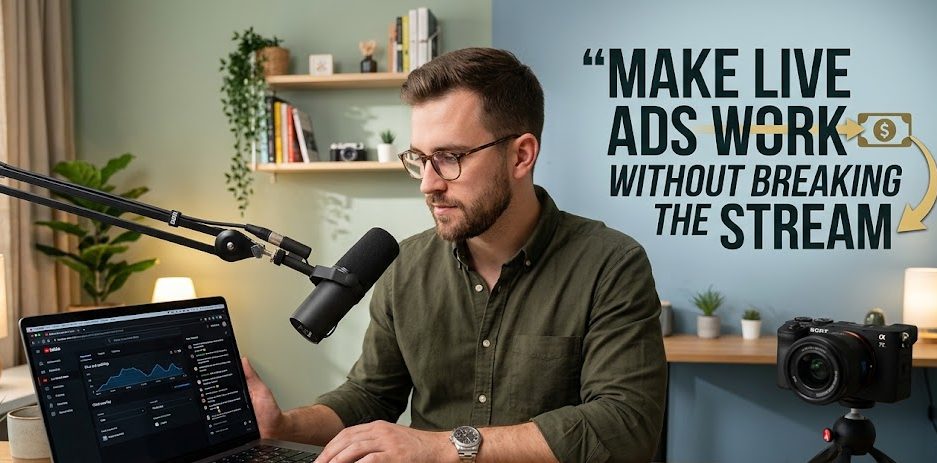
The important change creators should understand in 2026 is YouTube’s push toward less disruptive mid-roll placement. The big shift started in 2025, but creators are still living with the consequences now.
YouTube Wants Ads At Natural Breakpoints, Not In The Middle Of The Moment
YouTube’s 2025 mid-roll update explained that the platform would serve more ads at natural breakpoints and fewer ads at interruptive points. YouTube also told creators to avoid placing ads abruptly in the middle of sentences, action sequences, or critical moments, and to aim for natural pauses, scene changes, or breaks in the content.
This is not just a technical detail. It changes how creators should structure live shows. A creator who rambles nonstop for 90 minutes gives the system fewer clean moments. A creator who builds natural segments gives ads somewhere to breathe.
For 2026, the sharper advice is this: if you want live ad earnings, design the stream with breaks before you go live.
Automatic Ads Are No Longer Something Serious Creators Should Ignore
For live streams, YouTube lets creators choose automatic mid-roll ads, scheduled timing between ads, or manual insertion. Automatic is marked as recommended, and creators can choose low, medium, or high frequency levels. YouTube also says creators who adopted live automated mid-rolls saw, on average, more than 20% uplift in instream ad revenue per hour compared with channels not enabled, based on its January 2024 comparison.
That number is useful, but creators should read it carefully. It does not promise every channel will earn 20% more. It says what YouTube measured on average across enabled channels. A small creator with weak retention, low advertiser demand, or irregular streams may not feel the same impact.
Still, the direction is obvious: YouTube wants creators to trust automated placement more than chaotic manual ad pushing.
The Best Settings Depend On The Kind Of Live Stream
There is no single perfect YouTube live ad setting. A gaming stream, study stream, webinar, product launch, church service, talk show, and music review stream do not deserve the same ad rhythm.
Use Automatic Mid-Rolls When The Stream Has Flexible Pacing
Automatic mid-rolls make sense when the stream has many natural pauses or a loose format. YouTube can serve mid-roll ads at opportune moments, and creators can choose frequency levels such as low, medium, or high.
This setting fits:
- long community livestreams where viewers come and go naturally;
- gaming streams with downtime between matches;
- casual creator chats with topic changes;
- open Q&A sessions where the host can pause between sections;
- podcast-style live sessions with slower rhythm.
For this kind of stream, automatic ads can reduce the pressure of manually inserting ads while hosting.
Use Scheduled Timing When You Want Predictable Breaks
YouTube lets creators choose how much time passes between ads, including 6, 12, 18, 24, or 30 minutes.
This is useful when the creator wants more control over the rhythm. A 6-minute interval may feel aggressive unless the stream is extremely long, casual, or built around frequent breaks. A 24- or 30-minute interval may feel safer for serious teaching, interviews, or events where interruption would hurt trust.
A practical 2026 setting review would look like this:
- choose low frequency for education, worship, serious interviews, legal commentary, or anything where viewer trust matters more than ad volume;
- choose medium frequency for community streams, gaming, casual talk, and creator shows with natural topic changes;
- be careful with high frequency unless the audience already accepts ads and the content is long enough to absorb them.
High frequency can increase earnings potential, but it can also make the stream feel cheap if the content is not strong.
Use Manual Ads Only If The Host Actually Knows The Show Rhythm
Manual insertion is not bad. Lazy manual insertion is bad. YouTube says creators can manually insert mid-roll ad breaks, but earnings potential may be lower than letting YouTube insert ads, and creators can also manually insert additional ads even when automated ads are enabled.
Manual ads make sense when:
- the host knows exactly when a segment ends;
- there is a clear break before the next topic;
- the stream has chapters, rounds, lessons, matches, or interview sections;
- the creator wants to protect emotional, serious, or high-value moments from interruption.
Manual ads are weak when the creator panics and presses the ad button randomly because viewer count is high. That is how monetization starts hurting the stream.
The Creator’s Real Job Is To Build Ad-Friendly Live Structure
Ads perform better when the live show has structure. This does not mean the stream must feel stiff. It means the creator should create natural places where a viewer can leave for a short ad and return without feeling punished.
Build Segments So Ads Have Somewhere To Fit
A useful live structure can be simple:
- opening hook;
- first topic;
- short recap;
- natural ad break;
- second topic;
- audience questions;
- natural ad break;
- final segment;
- call to action;
- replay reminder.
This helps both viewers and ad settings. A live stream with no structure makes every ad feel like an interruption. A live stream with clear segments makes ads feel more tolerable.
The brutal truth is that many creators do not have an ad problem. They have a structure problem.
Delay Ads During Important Moments
YouTube lets creators delay mid-roll ads in Live Control Room when they do not want viewers interrupted. The delay lasts 10 minutes, and YouTube shows a 5-second countdown before ads resume; manually placed mid-roll ads can still display even when delay ads is turned on.
This feature is especially important for:
- announcements;
- emotional stories;
- guest answers;
- product reveals;
- final match moments;
- live performances;
- important teaching points;
- breaking news discussion.
A creator who never delays ads is basically saying every moment has the same value. That is rarely true.
Are YouTube Live Ads Promising For Earnings?
Yes, but only as one part of a monetization system. A creator should not expect live ads alone to carry the whole channel unless the live streams are long, consistent, advertiser-friendly, and strong enough to retain viewers.
Ads Work Better When Watch Time Is Strong
Live ads need viewers to stay. If people leave after five minutes, ad settings will not save the stream. Better openings, clearer topics, sharper pacing, and consistent scheduling usually matter more than tweaking ad frequency.
YouTube’s monetization policies also matter here. Monetizing creators must follow YouTube’s Community Guidelines, program policies, and Terms of Service. YouTube also warns that inauthentic, mass-produced, repetitive, or templated content can affect monetization at the channel level.
That means creators should not copy-paste live formats just to produce hours. YouTube wants content that gives viewers something varied and worth watching.
Ads Should Be Paired With Other Revenue Paths
Live ads are useful, but creators should also think about:
- channel memberships;
- Super Chat or Super Stickers where available;
- affiliate links;
- sponsorships;
- product sales;
- paid communities;
- newsletter growth;
- replay content;
- Shorts clips from the live stream;
- long-form edited highlights.
Ads are easiest to activate once eligible, but they are not always the highest-value income stream. A creator with loyal viewers may earn more from sponsorship, community products, or direct support than from ads alone.
Recommended YouTube Live Ad Settings For 2026
A good default is not the same for every creator, but the safest starting point is clear enough.
Beginner Monetized Creators Should Start Conservative
For a newly monetized live channel, start like this:
- turn monetization on for the live stream;
- keep pre-roll ads enabled because they are automatically turned on when live monetization is on;
- use automatic mid-rolls at low or medium frequency;
- avoid high frequency until you understand retention;
- use Delay ads during important moments;
- review stream analytics after the live session;
- ask whether viewers complained about interruptions;
- adjust only after seeing patterns.
This protects the channel from over-monetizing too early.
Experienced Creators Should Test Automatic Plus Manual Control
For experienced creators, the best setup may be a hybrid mindset: let automatic mid-rolls handle natural opportunities, but manually protect or shape important moments. YouTube’s broader mid-roll update says combining automatic and manual ad slots can help creators because it gives the ad system more options, and YouTube’s experiments showed an average 5% revenue increase when creators used that combination on videos.
For live creators, the principle is similar even if the exact result will vary: give the system flexibility, but do not surrender the show completely.
Use manual control when the host knows a break is coming. Use Delay ads when the stream enters a high-value moment. Use automatic settings when the format is loose enough to support it.
Q&A
How Do You Turn On YouTube Live Ads?
Open YouTube Studio, click Create, choose Go live, start or schedule a stream, click Edit, go to Monetization, turn monetization on, and choose live ad settings. YouTube lists these steps in its live stream monetization guide.
What Types Of Ads Can Show On YouTube Live Streams?
Eligible monetized live streams can show pre-roll ads before the stream, mid-roll ads during the stream, and display ads. Mid-roll ads can be automatic or manually inserted.
What Is New About YouTube Ads In 2026?
The important current direction is the mid-roll system update that began in 2025 and still matters in 2026: YouTube is prioritizing ads at natural breakpoints and reducing ads at more interruptive points. Creators should place ads around pauses, transitions, and clear breaks instead of the middle of sentences or action.
Are YouTube Live Ads Guaranteed To Make Money?
No. YouTube says ad serving is not guaranteed, and some viewers may not get ads. Earnings depend on eligibility, audience, advertiser demand, viewer location, ad delivery, content suitability, and watch time.
What Setting Is Best For YouTube Live Mid-Roll Ads?
For most creators, automatic mid-rolls at low or medium frequency are the safest starting point. YouTube marks automatic as recommended and lets creators choose low, medium, or high frequency. Creators can still manually insert ads or delay ads during important moments.
Should Creators Use High Frequency Ads?
Only with caution. High frequency has the highest earnings potential in YouTube’s live ad settings, but it can hurt the viewer experience if the stream is serious, emotional, educational, or poorly structured. Medium is usually a better testing point.
Can You Disable Ads On A Live Stream?
Creators can turn monetization off for videos, and live stream monetization must be turned on to serve ads. YouTube also explains that monetization settings can be managed in YouTube Studio.

Maeve Kelleher spent eight years working in boutique social media agencies, where she developed livestream campaigns for independent retailers, musicians, nonprofit organizations, and lifestyle brands. She has planned live launches, interviews, demonstrations, fundraising events, and audience question sessions. Her writing focuses on realistic social livestream strategies rather than empty promises about instant reach or overnight growth.

1 comment
Comments are closed.