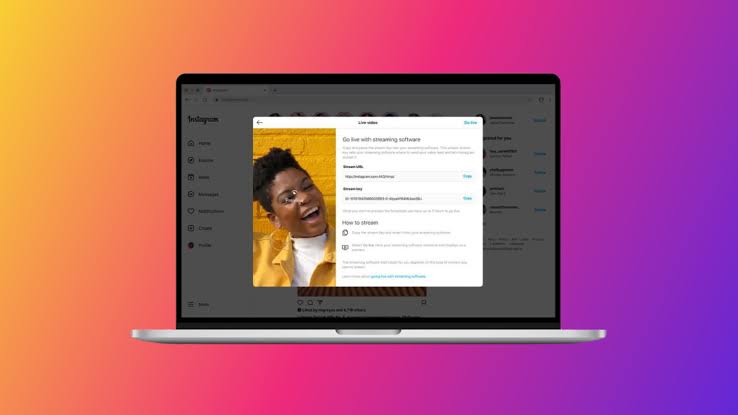
When creators want a bigger screen, cleaner camera, better microphone, or easier chat monitoring, the phrase Instagram live extension often appears because they are looking for a shortcut from browser to broadcast. The idea sounds practical: add a browser tool, open Instagram, and run Live with more control than the mobile app gives.
The safer answer is more careful. Instagram already has official live routes, including the mobile app and Instagram Live Producer. Instagram’s own Live Producer announcement says it allows creators to go live on Instagram using streaming software such as OBS or Streamlabs through a stream key. That means creators should compare browser extensions against official tools before installing anything that asks for account access, browser permissions, or login behavior.
For Social Livestream Sound of Text, this article belongs in the Instagram category because this is not a general livestreaming problem. It is about how Instagram Live works when creators want desktop control without weakening account safety.
Instagram Live Extension And Live Producer Solve Different Problems
An extension usually promises convenience. Live Producer is closer to an official production workflow. The difference matters because Instagram Live is tied to account access, audience trust, and real-time broadcasting.
| Option | Best For | Main Advantage | Main Risk |
|---|---|---|---|
| Instagram mobile app | Simple phone-based live sessions | Native, familiar, quick to start | Limited desktop-style production control |
| Instagram Live Producer | Creators using OBS, Streamlabs, or production software | Official route for desktop-style streaming | Requires setup, stream key, and supported workflow |
| Browser extension | Extra browser functions or unofficial shortcuts | May feel convenient for viewing or workflow tweaks | Privacy, account, permission, and reliability concerns |
| Third-party desktop tool | More layout or multistream control | Can support studio-style workflows | Must be checked carefully for Instagram support and account safety |
A creator should not choose the fastest-looking tool. The better choice depends on whether the creator needs a simple mobile live, a real desktop production setup, or only a small browsing helper.
Mobile Instagram Live Is Still The Cleanest Basic Route
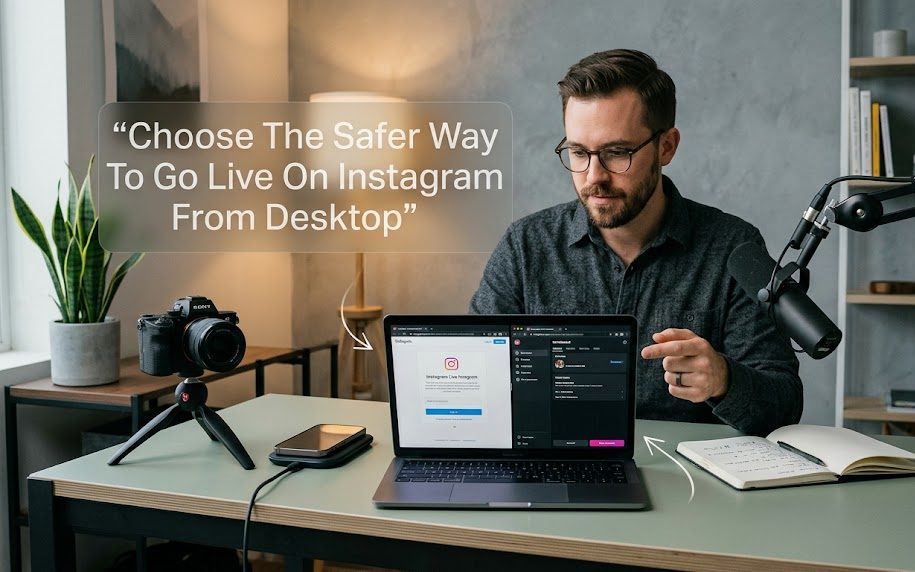
Before thinking about extensions, creators should check whether the basic Instagram Live workflow already does enough. For many casual creators, the phone remains the simplest and safest option.
The Native App Works Best When The Stream Is Personal, Fast, And Mobile-First
Instagram Help says users can start a live broadcast from the Instagram app by swiping right from Feed, scrolling to Live, adding a title, and tapping the Live button. That is the route most creators understand because it keeps everything inside Instagram’s own app.
This works well when the creator needs:
- a quick personal update where speed matters more than production;
- a casual community chat where the phone camera is enough;
- a behind-the-scenes moment where carrying a laptop would ruin the natural feel.
The downside is control. A phone live can feel limited when the creator wants multiple cameras, better audio routing, overlays, screen sharing, or a cleaner desk-based studio setup.
The Native App Is Less Risky Than Random Add-Ons
The mobile app does not remove every possible streaming problem, but it avoids one major risk: giving extra browser tools access to the Instagram session. That matters because an extension can ask for permissions that affect browsing data, account pages, or website behavior.
Google explains that extension permission warnings appear when an extension requests access to data, and users can accept or deny those permissions before the extension can access information. For Instagram creators, that warning should not be ignored just because the extension looks useful.
Instagram Live Producer Is The Better Route For Serious Desktop Streaming
If the creator wants desktop-level control, Instagram Live Producer is the stronger option to check before any browser extension. It exists for creators who want to use external streaming software rather than only the phone app.
Live Producer Fits Creators Who Need OBS, Streamlabs, Camera Control, And Cleaner Audio
Instagram says Live Producer allows creators to go live using streaming software and a stream key, and it specifically names OBS and Streamlabs as examples. This makes it more suitable for creators who already understand studio-style production.
Live Producer makes more sense when the stream needs:
- a real camera setup with better framing and lighting;
- external microphone control instead of relying only on phone audio;
- scenes, layouts, or screen-based production from software like OBS;
- a more stable desk workflow for interviews, teaching, launches, or branded sessions.
This is not the fastest route for beginners, but it is the more serious route for creators who want Instagram Live to look like a planned show instead of a phone check-in.
Live Producer Still Needs Discipline With Stream Keys And Setup
A stream key should be treated carefully because it connects the streaming software to the live broadcast. A creator should not paste it into random tools, share it in screenshots, or use unknown sites that promise to “unlock” Instagram desktop streaming.
The experienced workflow is simple: use Instagram’s official Live Producer path, connect only the software you trust, test before the real live session, and avoid exposing the stream key anywhere public. That is less exciting than an extension shortcut, but it is far cleaner.
Instagram Live Extension Tools Can Be Useful But They Deserve Suspicion
Not every browser extension is automatically bad. Some extensions genuinely help with browsing, layout, reminders, accessibility, or productivity. The issue is that Instagram Live is account-sensitive, and a weak extension can create more risk than value.
Extensions Become Risky When They Ask For Too Much Access Around A Social Account
A browser extension may ask for permissions that feel broad compared with the small job it claims to do. Google says permission warnings do not automatically mean an extension is dangerous, but they do mean the extension can access certain information if allowed.
For Instagram live workflows, be careful with extensions that:
- ask to read or change data on many websites when they only claim to help with Instagram;
- request account-related access without explaining why;
- push users to log in through strange pages instead of Instagram itself.
A useful extension should have a clear purpose. If the extension’s purpose is vague, the permissions are broad, and the developer information looks thin, skip it.
Extension Popularity Does Not Guarantee Safety
The uncomfortable truth is that browser extension safety is not as simple as checking stars and installs. A 2024 academic study of the Chrome Web Store found security-noteworthy extensions affecting nearly 350 million users and noted issues such as short extension lifecycles, lack of maintenance, vulnerable libraries, and similar code clusters across extensions.
For a creator, the practical reading is clear. Do not install an Instagram live extension only because it appears in a store, has a nice icon, or promises a shortcut. Social media accounts are too valuable for lazy installation habits.
Live Producer Vs Extension Depends On The Job
A serious comparison should start from the creator’s real need. Some people do not need an extension or Live Producer at all. Some need Live Producer clearly. Some only need a browser helper for watching or organizing, not broadcasting.
Use Live Producer When The Goal Is Actually Going Live From Desktop
If the creator wants to broadcast through a laptop or desktop setup, Live Producer is the better direction because it is tied to Instagram’s official desktop streaming path. The creator can build the show through streaming software, connect the output, and keep the workflow closer to platform-supported behavior.
This is the better choice when:
- the stream is part of a brand, creator schedule, product launch, lesson, interview, or planned community session;
- the creator cares about camera quality, audio quality, and repeatable setup more than speed;
- the stream needs to be tested and controlled before going public.
An extension should not replace the official production path when the broadcast matters.
Use An Extension Only When It Solves A Small Non-Critical Problem
A browser extension may be acceptable when it only helps with a narrow task and does not ask for suspicious access. For example, a creator might use a general browser tool for notes, window management, captions, or productivity while preparing the stream. That is different from trusting an unknown extension to handle Instagram login, live access, or stream routing.
A safer extension habit looks like this:
- check the developer name, update history, reviews, and permission requests before installing;
- remove the extension after testing if it is not truly needed;
- avoid extensions that promise private downloads, hidden access, or unofficial account features.
An extension should support the workflow, not become the workflow.
The Most Practical Setup For Different Creators
Creators do not all need the same Instagram Live route. A beauty creator, educator, seller, podcaster, musician, and casual account owner may all need different levels of control.
Casual Creators Should Stay Native Until The Format Outgrows The Phone
A casual creator usually does not need an Instagram live extension. They need better lighting, clearer audio, and a simple plan. The Instagram app is enough for many casual sessions because it keeps the live experience fast and direct.
A better upgrade path is:
- improve front lighting before chasing tools;
- use a simple tripod so the frame looks stable;
- test the microphone position before buying production software.
That helps more than installing an extension just because desktop streaming feels more professional.
Professional Creators Should Use Official Production Tools Before Risky Shortcuts
A professional creator should not gamble with account access for a small convenience. If the live session supports selling, teaching, client work, brand trust, or community reputation, use official tools where possible.
A cleaner professional path is:
- run Instagram Live from the app for simple sessions;
- use Live Producer when a desktop production setup is needed;
- use trusted streaming software rather than random browser tricks.
The more important the stream is, the less tolerance there should be for unknown extensions.
Viewers Should Not Install Extensions Just To Watch Instagram Live
A viewer looking for an Instagram live extension may only want a better way to watch Lives from a computer. That is understandable, but it should not become an excuse to install tools that promise downloads, hidden playback, or private access.
If a Live is available officially, watch through Instagram’s official app or website experience. If it is private, restricted, expired, or unavailable, an extension should not be used to bypass that. The problem may be access rights, not technology.
A Safer Decision Rule Before Installing Anything
The safest decision rule is simple: use official Instagram routes for broadcasting, and use extensions only for small, non-sensitive browser tasks after checking permissions.
Choose the Instagram app when the stream is quick and mobile.
Choose Instagram Live Producer when the stream needs desktop production control.
Choose an extension only when it has a clear, limited purpose and does not touch sensitive account behavior.
A creator who cares about long-term account safety should not let a random extension become the gatekeeper of their Instagram Live workflow. The right tool should make the stream cleaner without making the account easier to compromise.

Maeve Kelleher spent eight years working in boutique social media agencies, where she developed livestream campaigns for independent retailers, musicians, nonprofit organizations, and lifestyle brands. She has planned live launches, interviews, demonstrations, fundraising events, and audience question sessions. Her writing focuses on realistic social livestream strategies rather than empty promises about instant reach or overnight growth.


1 comment
Comments are closed.